You’ll hear from our experts on these discussion topics:


About this webinar
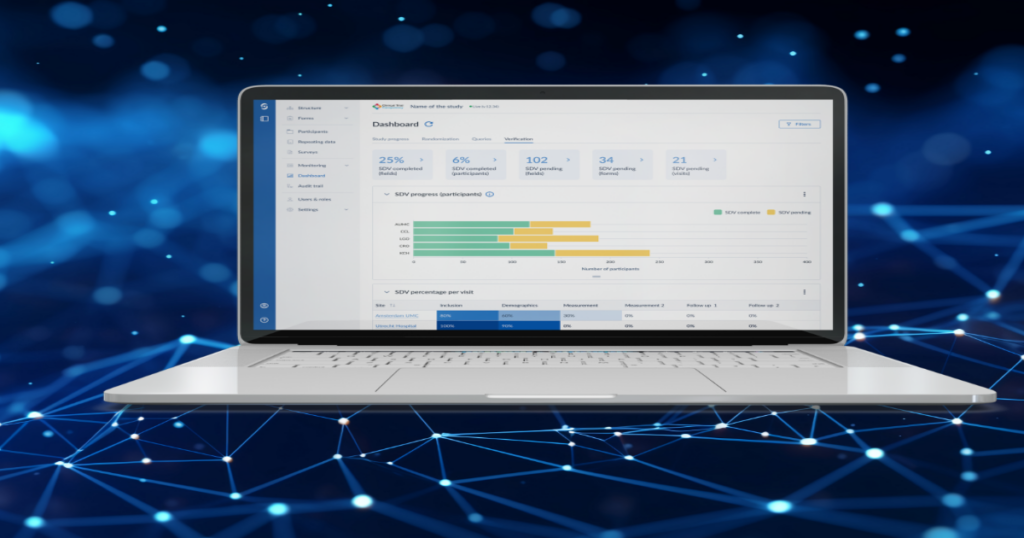
In this webinar, Castor's product team reviews electronic patient-reported outcome (ePRO) capabilities across the Castor platform for existing users, power users, and prospective customers. The session explains how shifting from paper diaries to electronic capture supports ALCOA compliance, reduces variability, prevents the parking-lot effect, and improves the participant experience. The speakers detail both web ePRO and the native iOS and Android Castor Connect mobile application, and walk through a dermatology study combining recruitment landing pages, pre-screening surveys, eConsent, and ePRO within a single CDMS database. A live demonstration covers building and cloning surveys in the form builder, configuring training, repeatable, and resumable survey packages, enrolling participants via email or QR code, and collecting mobile responses with biometric login, photo capture, and offline storage.
Key takeaways
- Castor ePRO data is stored directly inside the Castor CDMS rather than a separate database, eliminating the need to reconcile separate ePRO and EDC systems.
- Study teams use the same form builder for web ePRO and the Castor Connect mobile app, and can copy survey packages across delivery channels without rebuilding assessments.
- Castor Connect supports bring-your-own-device deployment on iOS and Android with six-digit PINs, Face ID and Touch ID authentication, encrypted local app storage, and offline survey completion for up to 14 days.
- Survey packages can be configured as mandatory training modules that block other assessments until completed, as repeatable ad hoc diaries, or as resumable surveys that allow participants to pause and finish later.
- Mobile photo questions autofocus on the application site and upload images directly to the CDMS study record without exposing photos in the phone's gallery.
Full transcript
Okay. Well, let's get started.
It's four zero one, where I am. Good morning. Good afternoon, everyone. Once again, thank you so much for joining the webinar.
Today with me, I have Christian.
Magawan is on the you should be able to see it on the video. It's a part of the product team at Casto. Is in charge of multiple parts of our portfolio, including the EPO Ekoa segment. Now I'm Sivash Campbell. I'm the head of product management here at Castor.
So today, we'll go through the different capabilities that we have around Yupro and EKoa within our castor platform. For some of you, it may just be a refresher. For some of us, it will be brand new. But whoever you are, guys, there is something new to learn from from today's presentation.
You feel free to put your questions during the session in the q and a tool from Zoom. I will pick some of them as we go and potentially answer them are alive, but we also have a q and a session at the very end after the presentation and the demo to go over some of those pending questions. So Christian, why don't you take away? And then let's get started.
Sure. Hey, we're running. Hope you can see my screen. Really good to be back on the webinar talking to you guys about past ePR, I think it's been a while.
I think it may have been just last year we had last had one of these and we've had a whole bunch of really exciting features release both for our WebB Pro and for of course for our castor connect application. So we're going to run through some of those today. What's also aware that we have a good mix of people on who are attending this webinar today. We have some existing users, we have some power users who've been with us for quite a while.
You very much for coming by the way, of course. And I think some of you we've had some interviews recently to give us direct feedback on some of the features that we'll be talking about today. So really grateful you've been up to join us. As well as perhaps some prospective customers or new people who maybe not seen what Casa has to offer before.
So really excited you're here. And for that reason, I think it's probably that we have a great that we have a quick rundown of why Epro, what do we mean when we say Epro? What is castorepro? And what does Castor have to offer in terms of our core products?
And then start looking at some case studies, so things like dermatology study that we've run-in the past, or what you're probably expecting, which is that more typical daily diary mobile survey or indeed a web backup. And then we'll have a little bit of time at the end to look at some upcoming features as well.
Again, we have some existing users here today with us. You're going to be seeing today some changes. We're going to be showing you some of the new UI that's coming your way in the next release of both the Casa Connect app and our core platforms, that's really exciting. And as ever, we welcome your feedback. So please get in touch with us, get in touch with get in touch with me directly if you'd like, and we'd love to get some that feedback.
But to start, why eepro?
In an industry of different acronyms. I know some people on the call are already gonna be well aware of what we mean by what we by eprobe, we mean electronic patient reported outcome. So one is that, it really gets any reported status of a patient's health condition that comes directly from the patient. So it's not the clinician completing of something about the patient study participation or the participant themselves that would be clinical something slightly different.
It's not the apparent completing something about a child It's very specifically the patient entering information about their own experience on the study perhaps the study drug. And I've threw together some examples here. These are studies that I've been involved with or have managed in the past. So let's imagine the recipient of the hip replacement.
They've had surgery and that every six months to years, indeed maybe ten to fifteen years later they receive a direct survey to their web, whether count or their email inbox asking them how they're doing, how has that progressed over time. It could be a diabetes study, a huge disease area, and perhaps they have an ad hoc diary every time they have to complete a blood sample or record their blood glucose. Perhaps every time they have a meal they have to record an ad hoc diary or it could be something as simple as a daily, multi of life diary. So, again, for those more familiar with epro on the call, you'll know that you're required or the EQ5d assessments, things like that where you're completing a general assessment of how you're feeling on a daily basis throughout your time on the study.
Now why pro? Why does the electronic version or why does the electronic capture of this data despite the fact that a significant number of Phase two and Phase three studies. Why do we think that it's still better that that remaining significant number of studies that are still using paper? Why do we think it's great that they shift to electronic patient reported outcomes.
Well, there's Alcoa compliance. So again, I'm sure you're all familiar, attributable, legible, contemporaneous, original and accurate. Making sure that that's all compliant by design. Now these two points are linked here, the Alcoa compliance in the data quality, they are really one in the same all and everything that GXP is about is ensuring that you can record the completion time so exactly when did the participant start and complete their survey, when do they start and complete certain portions perhaps of their morning diary or their morning assessment battery.
How do we know that it's a participant so attributable? How do we know that it's the participant? Well, we can control that through things like patient IDs through pin codes through access codes through usernames and passwords.
And then I think this law kind of relates to this parking lot effect, this description of I know I've been guilty of it when in past instances of more recently with my eyes, a clinical assessment trying to fill in as much of your paper diaries as possible before you get to the doctor to feel a little less guilty about the fact that you haven't completed them quite within the window that you should have done. This avoids that by having strict controls around time windows and allowing the participant to complete it directly on their own device.
And what are the benefits of that? Well, of course you have reduced variability. You're not having to interpret or have a massive data entry effort trying to translate the handwriting of one hundred patients for example, you're also able to automatically collect all of that critical metadata. So as I said, who is the person completing the assessment?
When are they completing it? Are they completing it within the rules and the bounds that you've established for that assessment? These are controls that you simply can't have on paper that you can when you're completing an e pro, and then also targeted data collection. So How do you know that certain cohorts and certain groups of participants have completed the appropriate assessments or the appropriate questions and fields?
Is all controllable within the same battery or the same assessment once you're doing it electronically.
And then probably the most obvious one or the most immediate one that people find when they're completing it via an or via our web surveys is just the patient experience.
As I said, I've had recent experience of being not on a clinical trial but having a clinical experience having to take home a big pile of papers.
I meant to retain those for six months until my next appointment which I know good luck to me trying to do that. But if I had that on my phone remembering that on average your average person with a smartphone checks their phone between one hundred and three hundred times a day and most of the time they don't know they're doing it. It'll be far easier for me if I was checking that on my phone than having to look after and maintain a piece of paper every day for the next well six months. It's just a much better experience and it fits into how I actually live my life. Never mind that we can also send things like push notifications and other kind of direct contact to the participant to keep me engaged to make sure that I'm completing as and when I should that I have the appropriate study information to actually participate in an informed way.
So what does castor offer? What we have out two epro solutions at the moment we have our web epro which allows our clinicians to directly send assessments or surveys. These can use these two terms at Casa directly to participants in their email inbox. And this means that you can use the same form builder tools that you use for example for our ICFs or our lab forms for repeating data, you can use those same tools that same form builder and those same fields to send out these surveys to your participants.
And I'm really excited today we're gonna be showing you our new UI as well. On the other side, we have our Castor Connect app. So we have a native iOS and Android EPro application that allows you to complete it directly on your own device You can now onto your personal phone. It's secure.
It's all stored locally and secured within the app itself. So you don't for example have data from the app shared or intermingling with other data on the participants device that allows them to have that experience of just completing it with the device they're most comfortable with.
So what are the benefits of the web. As I said, you can use those same tools, the same forms like numeric, drop downs, check boxes, all the usual suspects, you can complete using configure using our form builder tools and send directly to a participant. It's also very flexible you can go into a participant viewer within the CDMS and immediately send them a survey. So if it allows you to both manually and automatically send surveys based on your protocol. We also allow things like scheduling. This is across both of our Nepro products, things like scheduling. So if you need to send it daily or monthly, whatever schedule based on a protocol, you can do that directly from within the CDMS UI.
We also have, and this is something that I think has slip through the cracks in all of our recent releases. We now have our access code system which that means that you can control different survey packages based on whether they need to be and you have an access code entered to enter them. That's now available and configurable per study. And as I mentioned, we have our new Flex UI that's available today, I'll be showing it to you. That's a pilot, but will become a later this year as well that scales to mobile and tablet. So if you're completing on your desktop or your participants as they can complete on their desktop that iPad from the comfort of their sofa or indeed their personal phone, what's on the bus it just scales to what they're doing and allows them to enter all their data as they need to.
And what about Castor Connect? Well, Castor Connect, we retrospectively support iOS, I believe it's iOS twelve, it's effectively five years retrospectively that we support in terms of OS. And I think we estimate that that's around ninety five to ninety percent coverage of all smartphone devices. We have very wide support here in terms of BYOD devices.
Participants can go in, they can complete their surveys. They can actually I'll be showing you a feature later that was just released this week which allows them to use their touch ID, their face ID, their personal security credentials to access the app, log in, go in, see which study tasks they have outstanding and complete them as and when needed. And of course, as I mentioned earlier you can send notifications like push notifications to remind them that their survey tasks are available or need to be completed.
And we also have, again, I'm excited to show you some -- since our last webinar, we've added some new sub configurations for our mobile surveys with things like resumable, repeatable, and dedicated training surveys, which means that all those things that are required in your protocol you can just build out using our toolbox. You can build this out yourself using our SaaS tools. So really excited to show you that. I think SED's gonna be in a second talking through a particular case study we had and that involves the use of photo questions as well.
So the ability to have your the device autofocus, perhaps on an arm for an injection or application site. To take a quick photo, submit that securely. Again, it's not shared with your, for example, your photo gallery or anything on your phone. And send it directly as part of the study record.
That's all available and available on Casa Connect today.
I think I'll pass speaking of the dermatology study, Seth, I think I'll pass over to you just to talk through this example. I think we just used a number of our products. So not just the Epro, it used both web and mobile, but it also used things like our recruitment portal and of course our core CDMS platform.
Yes. Thank you, Christian. Yeah. I guess this this one use case, this one case study is is interesting because although Christian is gonna demo mainly the the e Pro app on the web and mobile.
I just wanna give you one quick sneak view on the the portfolio that we have, the the landscape of the different features and functions that could be used for your clinical trial. So in that particular dermatology study, recombine almost all the elements that we have at our disposal or that you have at your disposal when you leverage Castor. It was coming from the the landing page, the prescreening, the econsent, and then after that to the to the epro p. So I'm not gonna spend too much time on this slide because the next one, actually, Christian, is way more is more detailed because we see all the different steps during for the participant in in their journey, leveraging the different custom products and tools.
So I'm I'm just gonna spend two minutes on this one and and and give the give it back to Christian. So You could imagine as a participant, you got exposed to some sort of like we call that the digital billboard. It could be a poster. It could be something on the on the brochure.
Where the participant wants to be gathering more information, could just basically scan a QR code from that poster that you see on onto the step one.
It could also be I mean, on on the Facebook campaign, on a linking event, whatever type of marketing channel you wanna use to reexpose your next trial. And the second step, actually, the participant will access to this customized or configured recruitment landing page, where it can start learning a little bit more about the study, what this is about. If at this stage, the participant is interesting in participating into this clinical trial, it would just have to enter a few info maybe it's just email address. And the next step, which is number three, we will send them automatically a survey.
We call it the pre screening survey, to determine their eligibility. That pre screening survey is built with Castor CDMS platform, Castor EDC. Right? This is not a different tool This is the same tool you used to be in your demographics page or you are six months for a visit page.
If you pass that pre screening and you are eligible with auto calculation field, on the on the design, that's when we actually automatically enroll you into the next step, which is the econsent. Right? The electronic consent, which is a different product at Castor, but embedded into our form under the same umbrella.
The econsent process can be fully remote with video, it could be async, You could also sometimes go on-site. We also do print to sign workflow. There's a lot of different variations of how you can manage your consenting process. But, of course, what makes most of the a visual is to be on the phone with your physician when going through the informed consent form they can explain to you, answer your questions, and both the physician and the participant can sign electronically.
Once you pass that consenting, you're officially part of the clinical trial, of course, that's where we start getting into more the e Pro.
Number five, number six is basically indicating that we do not integrate our EPO within our EDC. This is in it. Right? The EPO is the EDC. It's not two different products where we have to exchange or recon file the databases. This is only one data center, if you will. So the record that would be automatically created into EDC, after the consenting process, we'll go through all the the wrong anonymization, the regular monitoring process, and then participant receive, in that particular use case, a shipment.
They can scan the drug. Information will be sent back to the to the sponsor or the site, and then all the e Pro scheduling will start automatically sending reminders and invitations to the participant to get into the either the web the web version or the mobile version for entering and answering their surveys. And then during one of those survey, what Christian just explained a minute ago, one of those survey was leveraging the ability to picture your picture with your phone, and embed them into the results of the survey and sending them back into the the database. So in a nutshell, that that gives you a quick overview, although this is not the point of this webinar. We are really focusing on April. But really quickly in the nurture, you could see how the different PCs I mean, without a DCT or not, could be all linked together to provide that type of patient journey.
Back to you, Christian, if you wanna move forward. Yeah. No problem. I I think it's about the holistic view as well that you can really take a patient from sitting in that clinic lobby all the way through to submitting their data just as easily as that.
I mean, we'll show you shortly, but at the moment we support both remote enrollment for example on trials as well as in clinic we've added for example the ability to scan the QR code. This is something that we didn't have at launch that we now have, the ability to go on-site as a participant scan your QR code at site and then take it away with you take it home. So if you have a study that mixes a kind of open recruitment like this, you can still have your in clinic visits. You can still have that more typical in clinic experience.
It's really as flexible as you want it to be.
We've got some questions that have commenced on what platform is the data being stored.
In terms of the study data at store within our CDMS with all the standard encryption you would expect. And once if we're referring to the mobile e pro or the cast to connect up, it's stored locally within the app and very specifically it's encrypted within that app information. So we've got that application.
So as an example, if you take a photo of your arm for your dermatology assessment, you cannot it's not visible in your photo gallery for your phone, for example. It's not available anywhere else. It's not shared with any other applications on your device. It's secure very specifically within the app itself.
Can we tailor the distribution for particular PROs going to different cohorts? Yes you can. I'll show you that in our demo actually. So you can create different participant groups and then send PROs, send assessments based on which group needs it. So we can definitely already do that and we can do that with our existing web surveys as well. So that's available today.
Do you ship the drugs or do you integrate logistics vendors? At the moment we don't do the shipping, it's largely handled via external integration. So for example we would have it may may well be integrated with another eclinical system that can pull in the expected values for barcode.
And I think that we'll Yeah. Maybe keep going. I will continue answering them online directly so people can sit it doesn't disturb too much the your flow. Yeah.
Of course. I wanna get to the meat. I wanna get straight to the demo. And so I thought a good example of a more typical implementation of the EPO for for this demo would be something like this which is you've got your daily diary, you're completing your perhaps it's a quality of life assessment, you're completing your acquired or something else every day.
And then at the same time, just as a backup option. I think many of us on the call especially if you were involved in study clinical trials during the COVID period, you'll remember that there was a mad rush at times to try and get away from provisioned devices or provisioned apps towards having a web backup, we have that by default with our WebBRA.
We cannot offer this for all studies and kind of mix and match for a combination of both mobile and the web surveys. And so I think this is probably a really good example, is to show you what that flow looks like going from activating, setting up, configuring a survey package and sending it to a participant and then showing you just how easy it is to go straight from that into deploying sending a web survey. So I'll get that for you right now. I'll just get my phone up.
So I'm going to log in. Again, Those on the call who are already existing EDC users.
You'll be very familiar with this. This is our participant overview. Little cramp because I wanna show you my participant experience on the right and my clinician on the left.
But I can see here in my study design I'll go to my surveys and I'm today I'm gonna be showing you probably show you a headache diary, so for example, the participant has to go in, they have to complete their.
Whenever they have a headache they have to go into the application then report have had it, report the severity of these kind of things, and it also show you an exemplar assessment. So here's our form editor. Again, those who are already users of cast will be very familiar with this, These are the same tools that you use to create your ICF forms, your labs, perhaps a glucose submission diary, these kind of things. They're all usable here as well for both our web surveys and for the castor connect application.
And I've got here just a really simple example got things like a date question, it's got some, where you can see all the different examples here. It's also got things like numeric fields and validations. So I'm gonna go through this one by one and just show you what that that looks like. And in fact, let's just quickly add a remark field.
Live so I can show that working in the application.
So I've got my assessment here. And what I do now is go to my survey packages that you think of these as like assessment battery, if this is where you're creating perhaps you want to have both a quality of life assessment and something else, perhaps submission of a particular dosage or a record of how long it's been since somebody took a particular medication.
I've got here my different assessments. I've got my training example here to show this.
So again, those who are already using REDC, you're getting a peak care about updated config. This is the new configuration tool or expanded configuration tool that will be with you in just a matter I think it's around a in our next major release for the CDMS that allows you to go in and configure all of your elements. So your assessment name, your introductory text, again can be combat can be formatted based on what your study needs.
And your outro text, again you can layer this so your individual surveys if you want to, for example, have extra text, remarks, help text, introduced between your different surveys, you can do that within the survey package config as well. I can then go to castor connect and I can show all my different sub config options. I mentioned earlier how since our initial launch of castor Connected a while back we'd had some new options introduced and I'm really really excited actually to show you these because the first webinar using them. We have our training package option, which means that as soon as I send this to a participant, they can't complete anything else until they've completed this training survey.
So it's a regulatory requirement of course that we have all participants sufficiently trained on the device and very often on the surveys. So that may well be something as simple as showing that they can use a touchscreen phone.
And may well just be showing that they understand going through individual questions using the next and back buttons, etcetera. But it could also be if you have for example, quite a complex assessment ensuring that there's something there that offers guidance and gives them an example of what a real assessment is going to look like. And you can control that using the training survey package. It means that say for example I received three different surveys until I complete my training and I verified that I understand what I'm doing, I understand how the app and the surveys are going to work, I can't proceed to complete anything else.
There's also markers needed which allows you to create a separate list of actions. This is for things like ad hoc tasks. Like I mentioned, that's headache diary for example or a food log something like this, repeatable. So let's imagine you have an assessment that you don't really have a specific time window for, but you know that the participant may need to complete it multiple times.
So let's say for forty eight hours, I want to be able to have the participant resubmit the same assessment multiple times in separate instances. So I want to be able to recall if I'm feeling lousy in the afternoon, I want to be able to submit my quality of life again. I want to submit my assessment again. And that's all recorded to the study record within our CBMS platform and it's all separated into different data as well, and allowing you to view it to edit it to map it on our data listings as well.
That can be combined with things like resumable. So say you have something like a fifty page assessment, the longer a survey is, we know we know this. It has been established for quite some time now. The longer that a survey is, the more assessments, the more clicks they have to complete.
The lower compliance is going to be. So the being frank, the longer it takes to do something when it comes to epray, the more likely it is that they simply won't be able to complete all of it at the same time. And again, considering how our participants much valued and indeed incredibly expensive to recruit are fitting really these tasks into their day to day lives, getting the bus, picking up the kids, etcetera, is not that surprising. What we allow them to do now is to have a resumable a good survey package that means they can stop, return and then return later.
So complete the first five questions and return at the sixth. Now of course in terms of data contemporaneity really depend on the kind of survey you're configuring or the kind of assessment you're configuring. But that's now available and available for all sorts of all forms of castor connect survey packages.
We also have our display config.
So if you want, for example, I know I've just mentioned the idea of the more click somebody has to do, the more likely it is that their compliance will go down or indeed the sites compliance may well go down.
But we all know that there are some assessments where either because of the structure of the assessment or perhaps it's licensed and conditions. You have to have one question per page or you have to have one field per page. We now allow you to by default set it so that one question per page will appear or indeed you can have one longer page. It's really up to you. It's all about flexibility. We're not mandating any of these, it's entirely up to you as you configure your assessments based on what your study needs and what your protocol design is.
And then we have our ability to configure the activation email. So for example, if you have want to have this translated, you want to have available in multiple languages, you can do so. We have our survey contents, we have our example here, and then notifications.
So the notification that will appear on my phone shortly. You can configure that here as well. You can make it in the language that you would like it to be and indeed we do have some length conditions, but generally speaking this is editable based on what you need. Recently we were just doing a demo and showing some Japanese notifications for example, This is all configurable by you as the user.
What I'm gonna do is save this so I've got some expiry messages, some reminders, I'll just save this, and then get to my participants. So I'm gonna enroll the new patients just That's the test. Put in a dummy email.
And to it. So I've got my active participate here. I've got all my standardized. You have forms I've got my repeating data and here I've got my surveys overview. Just set this participant to active.
And I've got my survey overview. Okay. And a little cramped just because we're showing both of the screens here, but I can from here send my survey package and again from here I can pick web, I can pick mobile, I can set up my scheduling, I can pick exactly when this is going to fire to the participant So let's use that training example.
And I can pick when it's available from and then if I want to, I can pick any preconfigured schedules for my study. So if I want to send it on a daily schedule I can, monthly, every three days whatever the study needs is configurable here within the scheduling.
But for now, I'll just send this to myself. Now what's happening here is the CDMS system has just triggered an activation email to be sent automatically to this But earlier I mentioned that actually we have two methods, we have two methods of activating.
So I can either go to my email.
I can see here that configurable email, so you saw the config that I did earlier in terms of the activation email, this was all configurable, can be changed as long as the link is included, or I can go to the system itself and you can see on the left here and within the CDMS, I've got my activation management panel here. So I can go and either generate my QR code or resend the email invitation.
So imagine I'm a participant just coming on-site. I'm gonna scan my QR code if I can get post enough to the code.
Maybe a little farther far away with my cable. There we go.
Perfect.
Need a longer demo cable sent.
Put it on the list there. Just getting logged in, and then we'll be able to activate in the application.
Hello?
There you go.
Sorry, folks. Just getting my cable to work again.
And maybe why you're doing this, I'm just gonna go to a couple of those question we had earlier.
Somebody was asking if we we are compliant, and we are allowing the, actually, to set the sites to retrieve all the information from the epro data.
The answer is yes. Right? Because, I mean, the the April data are just stored within the rest of the your clinical trial data. They are not in a dedicated database somewhere that is an accessible. So At time of closure or in time they want, if you have the code capabilities and from the site, based on your permissions, you could already retrieve those information.
The data that you entered as a as a physician, but also data that have been entered by the participant in the in the pro ones.
And then one more question maybe, Krishna Randy. Is it possible to let the participant choose to complete either the castor connect version versus the web based version.
Yes. So because you can send them directly from within the CDMS itself, you can effectively pick. So if the participant decides that they would prefer one method over another, they can basically choose or decide to go with that option. So let's say you had I think this is typical for example, like cables now finally working.
If you had for example a rheumatoid arthritis study, and sometimes you've got an RA study. One thing that I've been involved in post study assessments with participants before. One thing that's been reported is that they would prefer realistically to be able to complete the assessment on the device that's most comfortable to them. This is typically something like web. If you wanted to do that, you could certainly do that within the CDMS.
For example, there was a question earlier about can I send them via cohorts? Can I have some patients doing this and some patients doing that? You can do that within CDMS. So for example, you wanted to have an over-50s set that receives web surveys or indeed under fifty that received mobile, you could do that. It's all available and configurable within the platform.
So just gonna go in and create my new pen. One thing to note, if there are any users of the castor connect app today on this call, we have just released our new release, so twenty twenty three dot one, our major Kasti Connect release was released yesterday to both the Apple App Store and the Google Play Store. And this includes the ability to establish a six digit pin, which again considering we already had a pin system that's not a huge difference makes it valuable, secure, but the biggest difference here is what you're about to see which is using device security. You mentioned earlier leveraging the devices capabilities to security and improve the experience of the participant.
I can do that here with my castor connector. I can go through complete my -- enter the app using the same credentials that I use for my other apps. So for example, I don't know about those on the call, but for my banking app, I use my bioprint. I could use my face ID, my touch ID, we now have that set up forecast to connect ready for you to complete.
And you can see now that I'm in the Castor Connect up, I've got my training assessment there and ready. And one thing I want to show you, I want to show you an example of what I mentioned earlier. So that concept of the headache diary and then also not being able to complete those unless I have There we go. Here's my assessment notification.
Again, configurable in the same way that you saw earlier being able configure those notifications directly within the platform the same way you do today in terms of web surveys.
And you'll see that until I complete my training, I can't go ahead and complete my headache diaries. So it's got that lock icon there and if I try it will warn me.
But for now we'll just start the training and again, I just want to show you the power of the form builder in many ways. If you're already used to our existing tools, things like ICF building and repeating data, you're already capable today and effectively trained to be able to configure these and send them today. So please do get in touch. We can turn this on as a module through our support team. So the intro text is configurable. You saw me configuring this earlier in terms of the whole formatting, note that likeness that I added earlier.
I can add multiple levels of introductions and help text, remarks, anything that kind of suits the study.
And then I can add things like the date.
And then also all of our help text is configurable.
And then we can start getting creative. So when we say validations and dependent By validations we mean triggering specific warning messages, error messages, these kinds of things directly to the participant if they enter certain values.
And then dependencies are things like being able to say, well, if they answer yes to this question, I want them to be able to go down this route and answer these specific questions. So thinking about the headache for example, if they say they have a headache, I want to assess the headache. If they don't, I don't want to bother them I don't want to bother them with those questions.
So here's an example, if I say yes, I'll present to pain scale, you can see my pain scale here.
And then if I say no, I'll show something different perhaps a warning message and that will then take me through to the next field.
And then I can have other things. So there are specific function there's specific functionality to has to connect. Perhaps, as we mentioned earlier, we've got that autofocusing camera question. Let's do a quick example. I'm gonna roll up my sleep. Please take a photo of the application site on your arm.
Take that photo.
Again, it auto focuses on my arm, and boom, I can submit this as part of my study record. It's available, visible, within the CDMS to clinician managing this particular participant.
And then as I mentioned earlier, there's all the usual suspects. So your check boxes, your numeric fields, and then as an example of that, validation I mentioned earlier, let's say end to fifty, I can have specific error message, but just tell me, hey, don't do that, enter this, or don't Are you sure you want to proceed?
Another example would be something like this where we say, actually I don't want to stop the user from proceeding. I don't want to error them. I don't want to remove them study, but I would like to warn them. So something like, oh, that seems a bit high. Or please contact your participant that your reading seems a bit high. You've reported high levels of stress whatever it happens to be specific to your study.
And then there's that example, a remark field rather redundant that we added earlier when we were going through the platform and I can then thank the participant for that participation and that will then unlock the other assessments that I need to complete in terms of my headache diary, in terms of my repeatable or resumable diary, and then I can also view within my data log what I have submitted. So I'll show you the headache diary shortly, but if we go to the settings menu, I can see the kind of typical things you would expect I can see my permissions, everything that I've granted to my phone just gives participants that could get you a bit of extra control and understanding exactly what they've provided to the app.
We've got my data, which, as I mentioned, is the full data log, so anything you've submitted by your device or via your app. You can see a full listing of it and just know exactly what's been submitted. Now one critical thing to mention here is the castor connect app unlike our web app for as you expect is offline supported as in if I, as long as I have downloaded my assessments to my device, I can continue to complete offline and submit I believe we have a logical limit of around fourteen days, but I can effectively continue to complete those assessments even without an Internet connection.
So if as we do on some studies thinking about particularly things like rare disease studies where I may well be on top of a mountain with no internet connection, I can still go and complete my assessments and log them from wait until I have an Internet connection restored?
So Christian, maybe one stick on Christian because there was actually two questions two or three questions on that particular topic. So -- Sure. -- what we are saying is that we couldn't use the castor connect on an offline mode from the get go. Right?
I mean, I mean, you start you're entering the data and you finish entering the data without an Internet connection. And as soon as you retrieve a connection, then those data will be pushed. There were two specific questions about what if you lose the connection while you're entering a survey.
And that will be recorded stored to the device and actually the screen you're looking at right now, this MyData, it will inform you that this data that's pending. So as soon as you get back somewhere you've got an Internet connection, either the app will simply prompt itself to send that data or there'll be a button called sync now, which lets you manually push data directly to the CDMS. So even if you're completing partially you can store that locally and submit when you're good and ready and have an internet connection Thank you.
How do we upload medical reports, for example, an MRI scan? This is that's less an e Pro concern that would more probably be more an integration with another system.
And then once epro data is completed by the subject, does epro data show as locked?
Yes, So you'll have seen just in this configuration option. I'll go back here, go to my assessment here.
You can see this option here. So lock is finished. We can be a figure to elect to make it so that as soon as an assessment is completed, it's locked and not editable.
So just going back to my settings screen, I can set up my device security, I can reset up my device security, or I can need to pick my core language. And again, this is one thing that's changed in our recent releases. We this week added four new core languages. So we added Slovak, Lithuania, Romania and Hungarian and that's on top of I believe that ten to twelve languages that we have already added within the last year.
Adding a language is relatively simple, so we're really excited over the coming months and of course working with some of our customers on this call to extend the capability in terms of languages. One thing to note at the bottom here is that because I have completed my training survey, it's now available for me to re complete. So if I want to go in, I can re complete, I can resubmit and effectively resubmit a log that I've completed training. If we have people on the call who have been in monitoring you know that sometimes the only option you really have if you've got low compliance is to just say to the site, please follow-up with the patient and make them recomplete training.
Here you have that recordable and demonstrable within your study record. So if your clinical team or clinical manager is coming to you and saying how have you completed you can show them directly within the platform. Yes, they've recompleted training. Yes, they've submitted the data that we would expect them to.
I'm just gonna quickly go back and show you that headache diaries. I think that's a good example of one of the ad hoc diaries that we mentioned. So indicate you're having severe headache.
Indicate the time it started, and do I still have a headache? No.
And I can now start doing things like summaries. I can start saying well, the pen was in a range between north and five And if you combine this with things like the dependencies, the validations that we discussed earlier, you can see just how flexible the system is. And again, using those same form builder tools, you can build a lot. There's a lot possible with these settings, and we're really excited to see what our users are building.
I'm aware that we're cutting it close on time. So I'm gonna finish up with the mobile app. And I'm gonna quickly move over and show you our web surveys. So one of the things I love about the CMS system and I've spoken to Sevron calls, I think webinars as well before. About how much I love this feature is just how easy it is to recycle reuse content.
So a tremendous amount of time is spent building out surveys and validating them and everything else and yet historically with many systems, you just have to rebuild them and it takes a tremendous amount of time. One thing that's fantastic about pass to CDUS.
And again, we have users on the courts, so you're familiar with it, is just the ability to copy and reused content. So let's say that I want my training example assessment, but this time I want Let's make it web. So I've got my web assessments.
And we're gonna make it so that instead of cast to connect, actually this is web based. So we've got the same intro contents, We've got our web based serving options, so those options change based on what you need.
And then have also got things like the ability to control the navigation, control the obligation options and the finished URL. So just to let's use as an example our email address. And you may be thinking when is that going to be useful. Well, if you look at the different options we have, if you, for example, are sending a participant an assessment of a drug that they've been taking for some time perhaps as a post marketing study, a baseball study and you want to refer them at the end of that survey to a medical pamphlet or to your website or to further information about the drug or even a patient community, we think about taking somebody who's using a drug and getting them in contact with the participants, all of that's possible by using these URL options.
We also have here, Seb mentioned earlier the option of effectively having participants come to the study through the system. So rather than being directly enrolled, they can kind of come and join directly through things like a barcode or a QR code. That's what this option here is, the open survey link. This means that you have a dedicated link for your study whenever anybody navigates to it, they're effectively creating a new participant and a new survey entry. So if you want to have open enrollment this is a really great option.
But now I'm just gonna show you the invitations, let's say email invites already created.
And then our survey will make it the same survey, so that exemplar assessment and then scheduling. So you can pick reminders I can figure the content. And then the actual I've spotted a question here about around scheduling.
Let's just save this here.
Oh, same reminder.
Email reminder.
Go back to that same participant and send them a web survey.
I've got here this quickly note that we can see the data here that's been submitted. And as a as a clinician, I can then go in and view that data if I want to see what it looks like and assure that the participant has entered everything that they were meant to.
But let's send myself a web survey. So we've got this training example that we again. We've just taken it, we've cloned it, we've made some minor edits. It's been three minutes, and I can now send this directly to my participants.
And just to quickly note on the scheduling, we've got here the ability to defined schedules here. So what this means is that the assessment will be rescheduled day after day and made available to the participant. This is covered for both web and mobile. So I can't remember, I can't see the name anymore, but we can configure specific schedules based on the protocol. So if you have a daily schedule, if you have a monthly schedule, if you have, for example, a responsive schedule, we can do that within CDMS.
But based on what's being configured here, we can send this directly to the participant, but just say daily for now. I think the question there were one question, Christian, around. Do we does the site always have to configure or initiate the sending of the survey? Or could that be built into the study design directly? Like, once the subject is entered into CMS, they right away get an activation email and they right away get and they press five type of survey available or do we always have the site to be involved?
So there are a few different options there. So we've got something called the automation engine which allows you to do things like the moment that a participant's email or their contact details are entered to automatically trigger the sending of that training survey and that initial activation of that castor connect application. That's available today, that's available in the CDMS. We can also if we want for example to have more complicated automations, so we want to, for example, say, if the participant enters yes on this question and no one question three days later we want to then figure perhaps a slightly separate or different survey package, we can configure that custom. So that's certainly available to implement on studies.
I'm just gonna quickly go to my test email here. I can see that the email, again, not that creative, admittedly, just stuck with the standards here, but I can see that all of this is what I configured within the platform itself.
And then I can see my formatting and my assessment.
So I can pick my language, I can navigate through my pages, and pick my just to clarify, we are now looking at the web survey as a participant. Right? Exactly. Exactly.
So I'm here as that as that, as that same participant coming in here, and completing my assessment, I can enter all of the same details, all the same fields are available with the exception of the photo capture of course. You can still do file upload. So if you wanted to have a participant submit a picture, they'd use that. The photo capture is limited to mobile for now, but I can go through complete all of my assessments.
And in the same way that you saw it on the mobile, I can complete all of my expected data, and then we'll maybe switch it here and show that this is a dependency. So you receive your next caustic connect assessment, you'll need to upload a photo of the application site.
And then there are also things like the check boxes that we saw earlier. And all of those same validations, the dependencies, extend here as well. So if you want to reuse or indeed offer both on a study, you can definitely do that.
So I see that there was a question about authentication and that's my bad that's my bad route. And I actually am still logged in as a clinician. So when I go to the audit trail, this will show that definition was viewing and editing this. I'm gonna quickly log out, and then show you what the participant would see. So here's what the participant would see. We have our access code system that will mean that you've got authentications through the email, so I can enter my code here.
And I can submit that here.
And within the audit trend of the study of course, it will show who's completed it by participant versus any specific clinician. If the clinician, of course, navigates to the platform itself and attempts to add it, what can we capture and reason for change as well?
I think we have just a couple more questions.
Answered and we get to the q and a. But I think that covers it, something. I think we've got ten minutes quickly go through and talk through the upcoming features. I think we've actually shown some of them in the demo today, so I'm quite excited that we do have some existing users on the call. What's coming up, we've got our expanded valves options.
So we've had feedback from our users that for those who aren't aware, we've had BAS and Sliders of course, but we had preconfigured options, so preconfigured sliders that you could use and recycle.
What we wanted to do is basically make that something that's a bit more flexible and a bit more configurable and that's going to be coming in a really soon I actually wrote this slide before I released this week, so I'm very happy to say that those expanded security options with face ID, touch ID, with the six digit pin I mentioned, as well as things like patterns. So if like me use pattern or touch ID, that's also available for custardent We also have expanded options for study specific customization.
So one thing that some of you may have noted if you've used other vendors is the fact that we have our single app one of the really fantastic things about that casters offering I think is having that single app that's available and made unique for the study, but that fundamentally can be reused and doesn't require deployments for every single study, you can effectively use the same application from the App Store. What we want to do is found the options available in terms of customization. So it's great that we have that one app but we do know and we've been hearing from our users that you guys want to be able tailor it just a little bit more.
Maybe perhaps that's offering a study blurb or a link to study content. We've been listening to you and we are gonna be looking into that at some point soon. We also have things like notification options. So you've already seen our email notifications, you've seen our push notifications, all these kind of things.
We want to expand those. But it's not just related to specific surveys but adding additional kinds of study tasks that you can notify participants about as they participate on your study.
A really excited these are coming up.
And as ever, I think we've showed you today some of the new features including the new survey UI that will be available soon.
I'm really grateful and we have some attendees on here that have been kind of directly involved in some feedback on these features. So thanks for calling and joining us. And I'm just gonna -- And this -- Yeah. And this on this topic, Christian, there is there is a question about converting an existing and ongoing study with the new survey format.
I'm I'm assuming we're talking about the new UI.
Yes.
Sure. So we have at the minute an open pilot, so effectively if you wanted to, for example, create a dummy study, I'm assuming this is an existing user If you want to create a dummy study or a test study with your account, you could then kind of copy over your study and we can turn this on for you. So you could literally see what study would look like with this new UI today. You just need to submit a request with our support team and they'll be able to do that for you.
In terms of being able to convert a currently or active study, it's still in pilot mode, so we're not recommending that studies that are that two years in, they have one thousand participants on them will of course be getting to that, but at least today we want to put some finish finishing touches through our pilot to make sure that it's good and ready for you. But as I say, if you have an active account you could build a study and see what this looks like today. Yeah. Yeah.
I guess also, I mean, once it's fully available, technically, this is not so much the the challenge. Of course, there is maybe one or two field configuration that cannot be that cannot be migrated, but if your study doesn't use them, maybe that's possible. I think it's also part of the type of study joining. Right?
I mean, if you Exactly.
If it's something that's where you had to submit all your your screens for the participant and getting your IV approval and all that, that may be a little bit more I would say, difficult to go to that process. Then yeah. Then if you are just like I think my concerns would be more operational than technical. Let's just say that. Correct. If you already submitted your surveys for IRV, you've already had the the way that that looks, the way the information is presented the participant. You've already had all of that approved.
That's the point where I would be concerned of course. But obviously we have a whole a wide range of different studies that they're using castor system including clinical trials.
So I would recommend personally that you get a test study set up, submit a request with our team and see what it would look like, see how it works for you.
But yeah, for now we're looking at probably slightly later this year, but this will be rolled out and available for all new studies. Then we can have individual discussions around the best way of migrating you.
And what about standard questionnaires? So things like validated instruments, are they available as modules?
Well, they're configurable within the survey packages. So the same way that you just saw me configure a survey package within the form builder. You can do the same for all your standard assessments. So whether it's your IQ5D, whether it's your ACQ6 I'm not gonna go through all of the ones that I work with in past life, but you can configure those directly into the form builder and then reuse them. You saw me there copying a survey package. The principle is the same. As long as you've configured your structure, you configured your fields, that can then simply be copied and reused.
In terms of languages those will be configured as separate packages because of course you are setting up your notifications, your emails, or anything associated will need to be available in that language.
So we do have them as separate survey packages.
Then there's another question here for do you implement Hebrew? Currently we don't support Hebrew.
We have had I think we've had discussions more recently about potential doing this for some existing customers. So it's definitely something we're considering.
I think that the difficulty with Hebrew is typically been the alignment of of the content in the spacing. And then that's but it's an active conversation we're having about supporting Deepgram because we know that there's there's a demand for my users there.
Okay.
Well, I guess we're getting to the the end of the presentation, Christian. Thank you so much again for the presentation and the demo.
Then thank you everyone for joining the the webinar. We will edit the video and make it available on the website, and I think all the attendees will receive an email notification with the link to that recording. So once again, thank you very much. Have a good rest of your day. And we'll see you soon.
Thank you very much, everybody.